

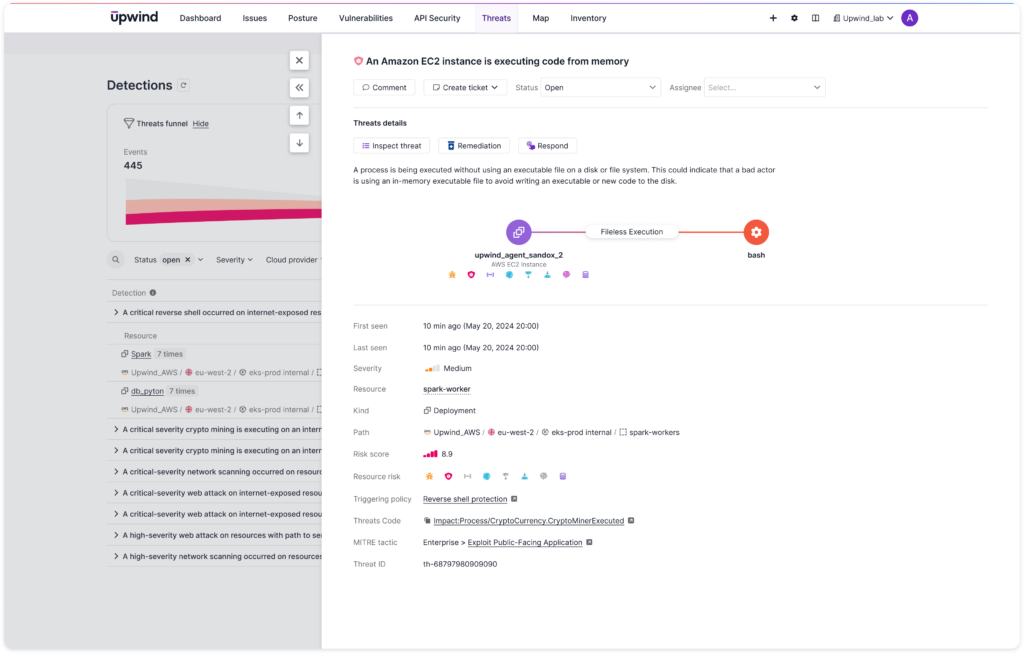
We’re excited to announce the ability to monitor and detect malicious “fileless execution” events. This capability enables alerting when a process is executed without using an executable file on a disk or file system.
Fileless Execution
The action of a process being executed using an in-memory executable file is a common defense evasion technique used by malicious actors to avoid writing an executable or new code to the disk, allowing an attacker to avoid being detected by file system scanning.
In addition, in many cases, security & DevOps teams already deploy their containers’ root filesystem in read-only mode. This theoretically prevents an attacker from downloading their malware executable to disk. However, sophisticated attackers use fileless malware and execute commands directly in memory.
Although this is a common malware technique, there are also some legitimate use cases for fileless execution, such as a just-in-time (JIT) compiler writing compiled code to memory and executing it from memory.
Indicators of Compromise
Upwind’s fileless execution detection is intended to find fileless malware, which is a form of attack that does not require the installation of new executables on a system, although attackers will need to access the environment. Common methods of fileless execution attacks include compromising native tools, memory-only malware, fileless ransomware and stolen credentials.
In a fileless execution attack, attackers commonly do the following:
- Exploit a vulnerability and gain remote access to an environment
- Obtain credentials for the compromised environment, allowing the attacker to traverse into other systems
- Modify the registry and establish a backdoor.
- Access data and exfiltrate it out to the network.
Upwind leverages runtime data to rapidly identify unusual fileless executions and immediately alert you to suspicious activity. Read more about fileless execution detections in the Upwind Documentation Center.